PLUS
Increasing admin efficiency at managing tutors.
Role & Team
I was the Lead Product Designer in a team of 4. The team consists of myself, another product designer, a PM, and a developer.
Client
PLUS is a software designed by LearnLab at CMU to improve learning outcomes for K-12 students by combining the benefits of both human and computer tutoring.
What I Did
I led the design of the new admin dashboard and conducted 7 usability testing sessions. I worked closely with the PM and developer to support the product launch.
Timeline
Start-up project: The project took half a year and was shipped and launched in Jan 2023.
Problem
The current admin dashboard does not allow admins to monitor the tutors’ performance efficiently.
Solution
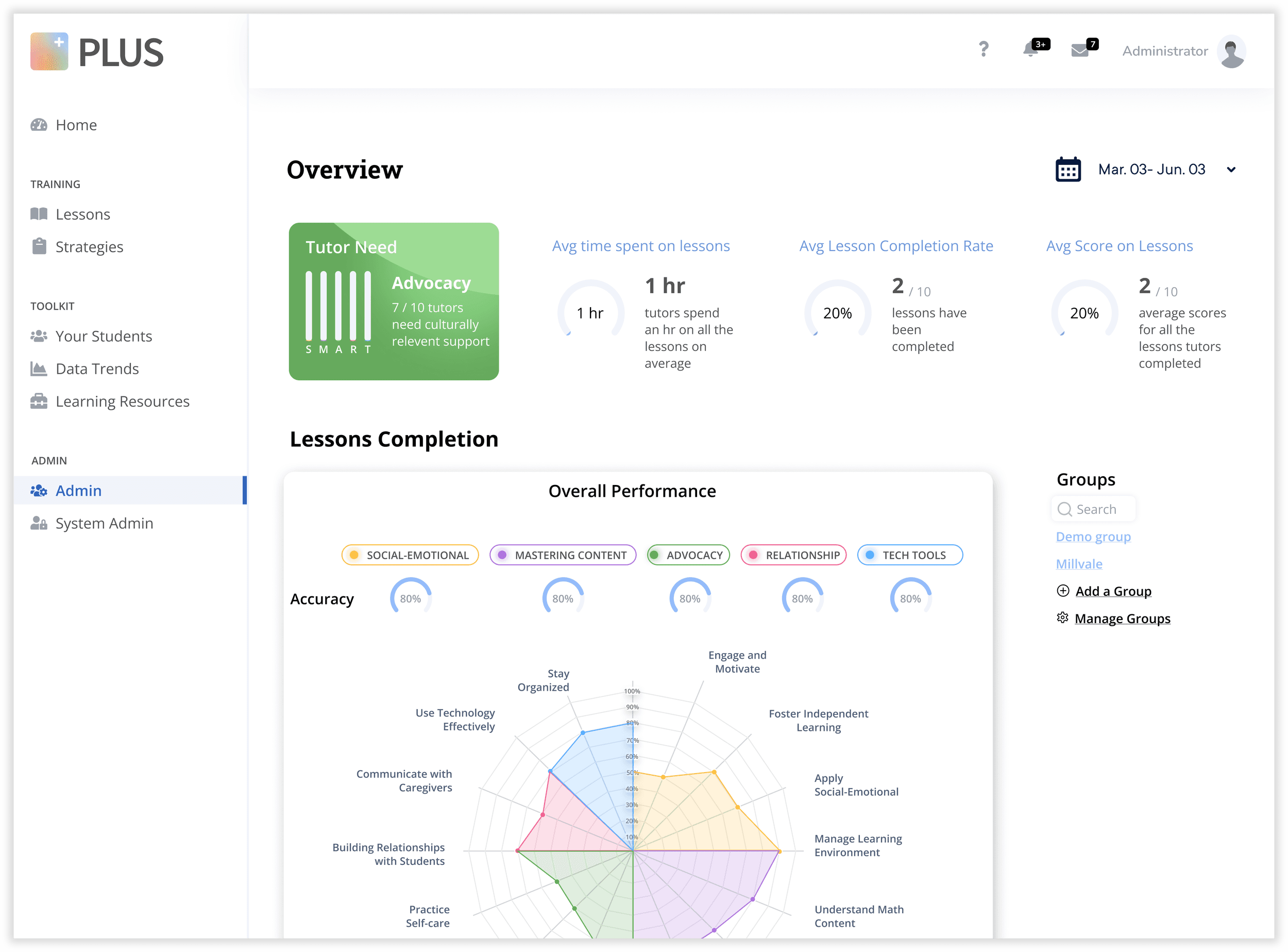
Designing a new admin dashboard that allows admins to track the performance of each tutor conveniently:
Learning about their tutors’ performance at one glance.
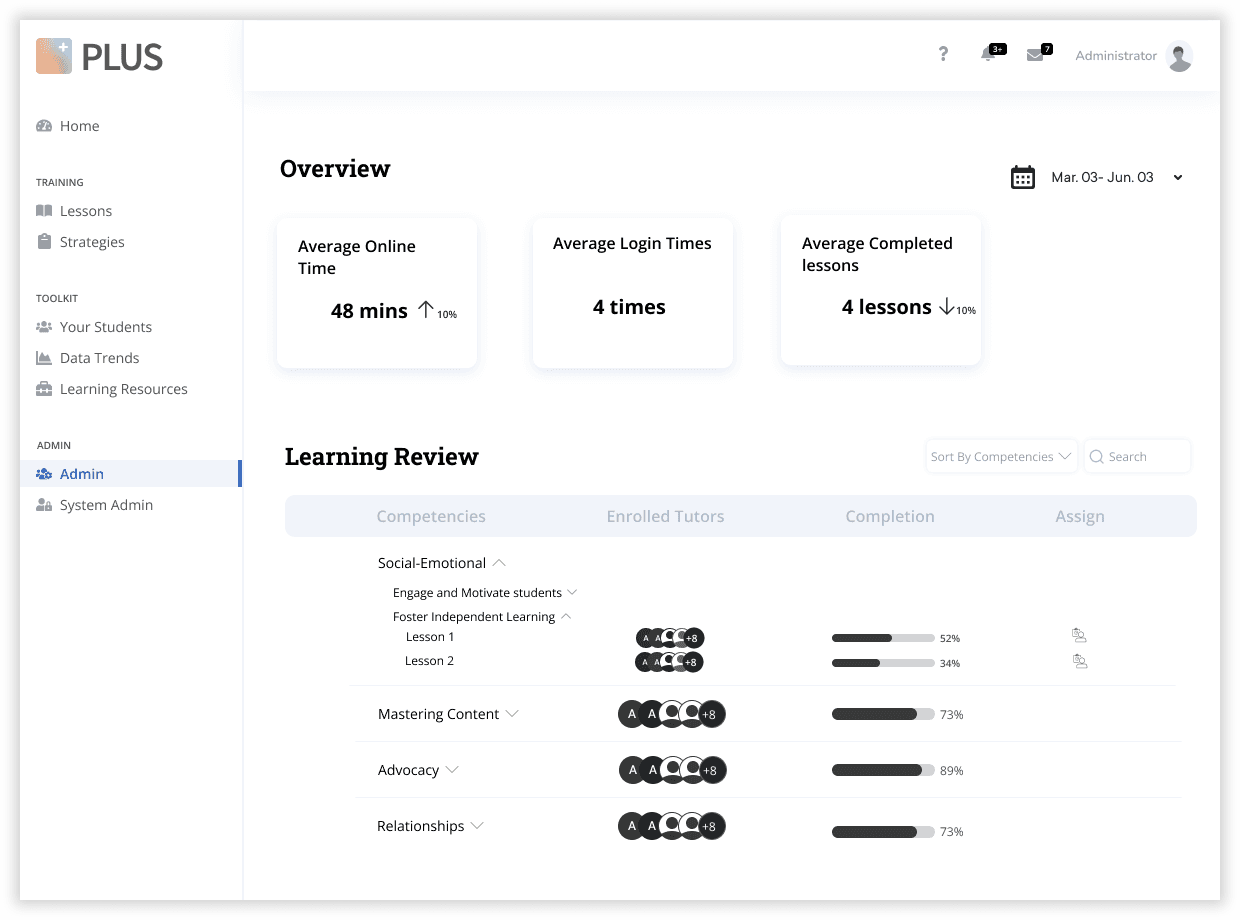
Admins can look at the overall performance of the tutors in terms of which area they need help on, their lesson completion and accuracy rate, and their average time spent on the lessons.
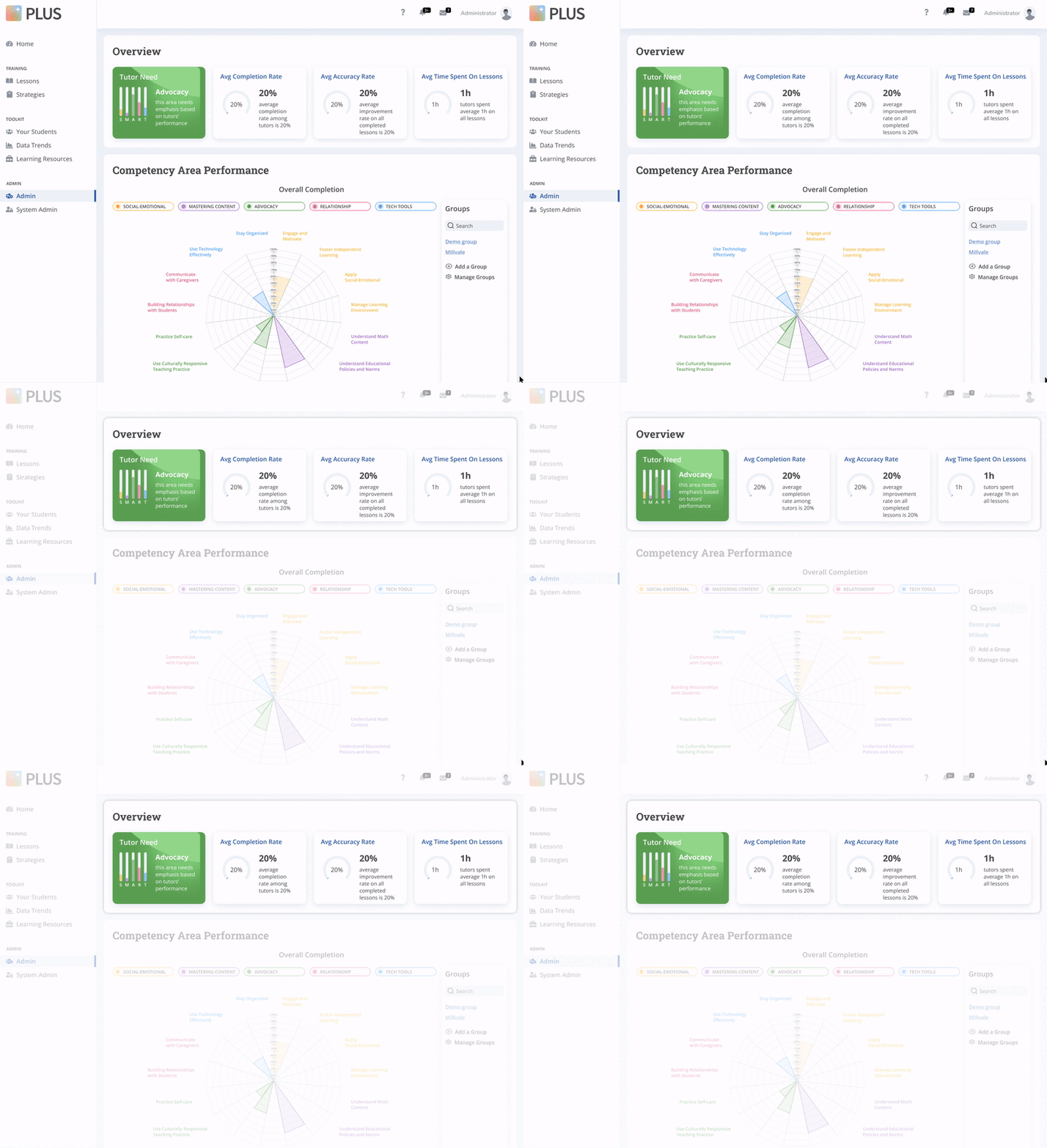
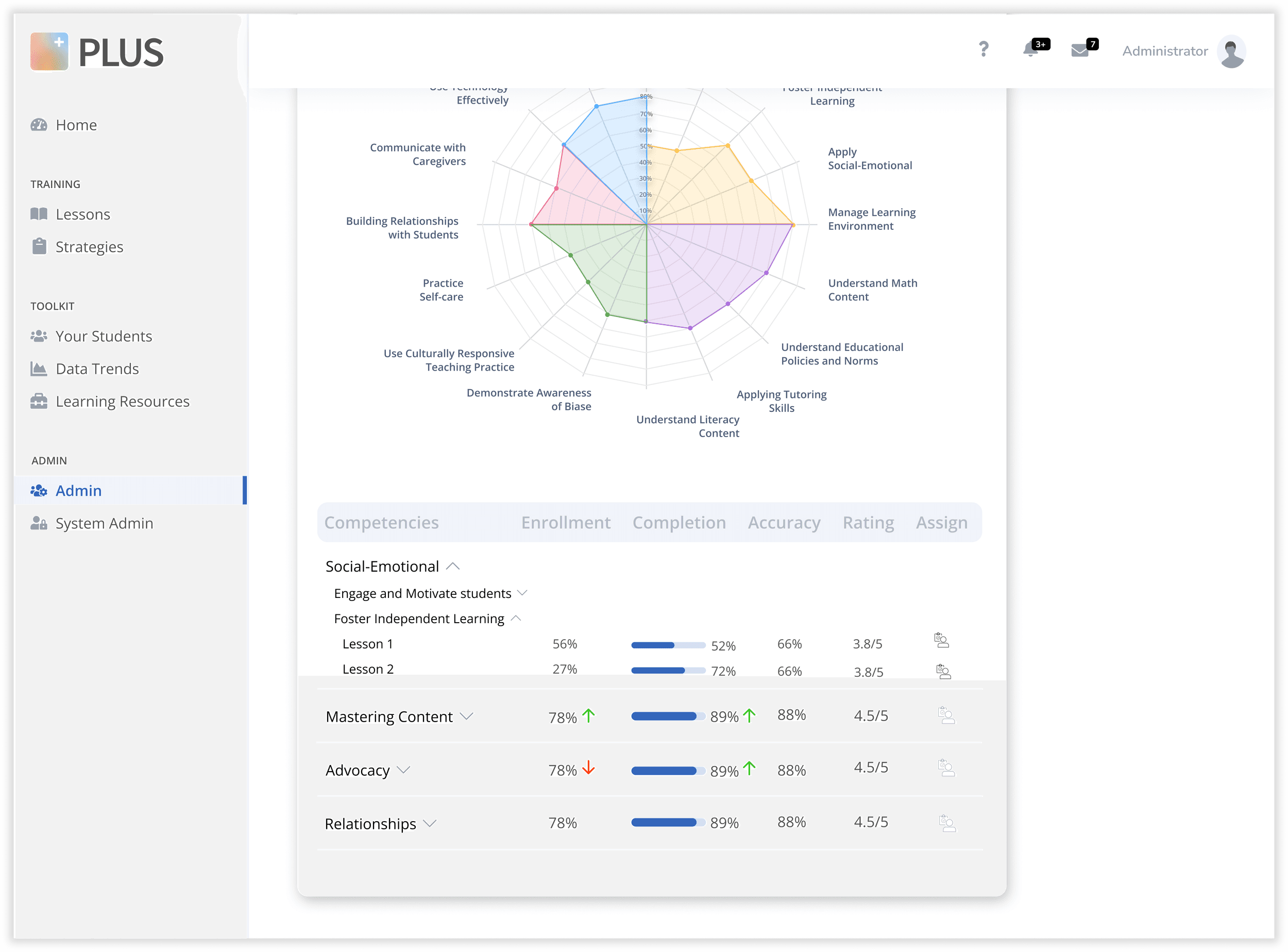
Analyzing tutors’ performance by looking at the detailed graph and table.
Admins can look at the detailed performance of the tutors by looking at their performance on each lesson on the graph. They can also expand the competency area to find performance on each lesson on the table.

Explaining key terms to admin on hover.
Admins can hover their mouse on the tooltips to see the meaning of each key term.

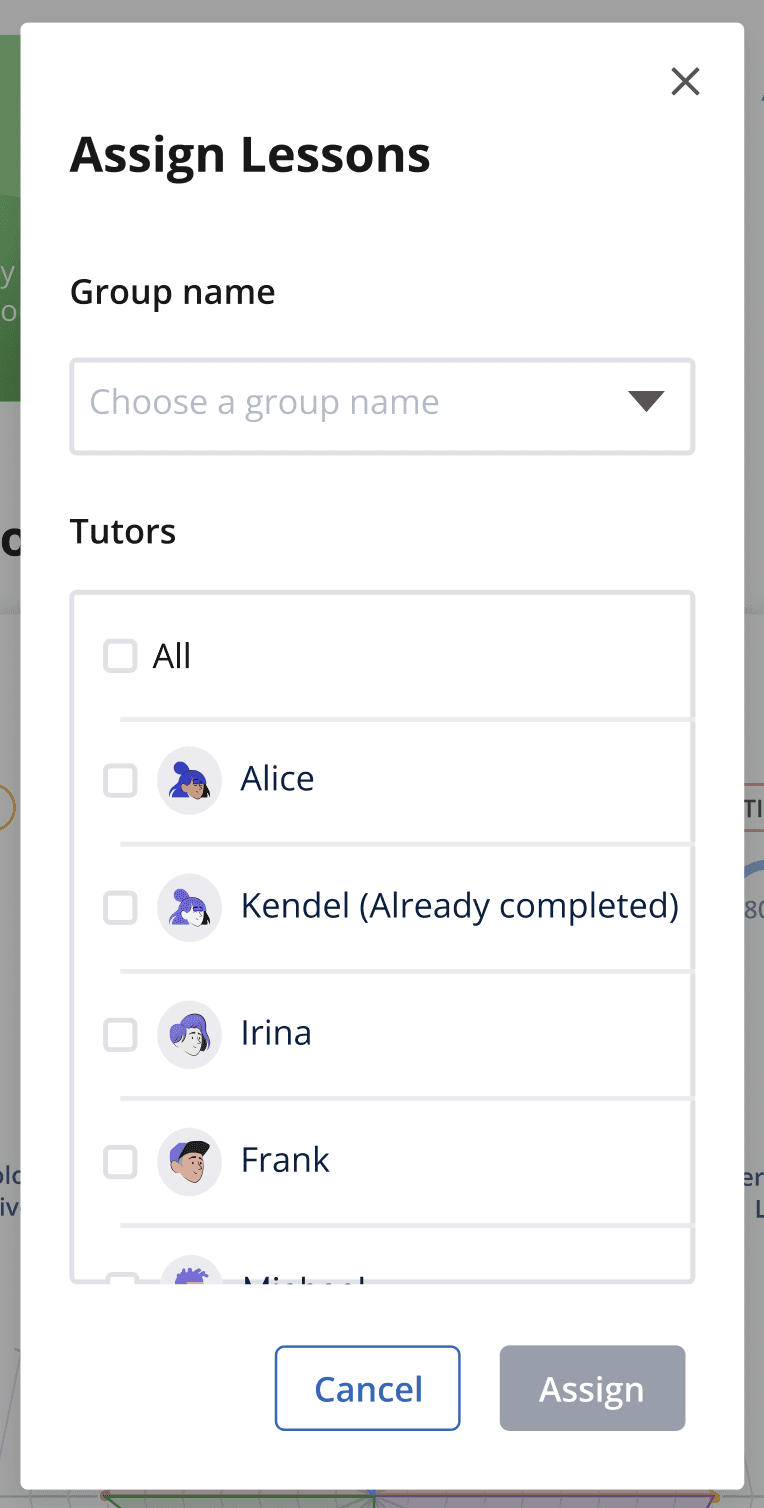
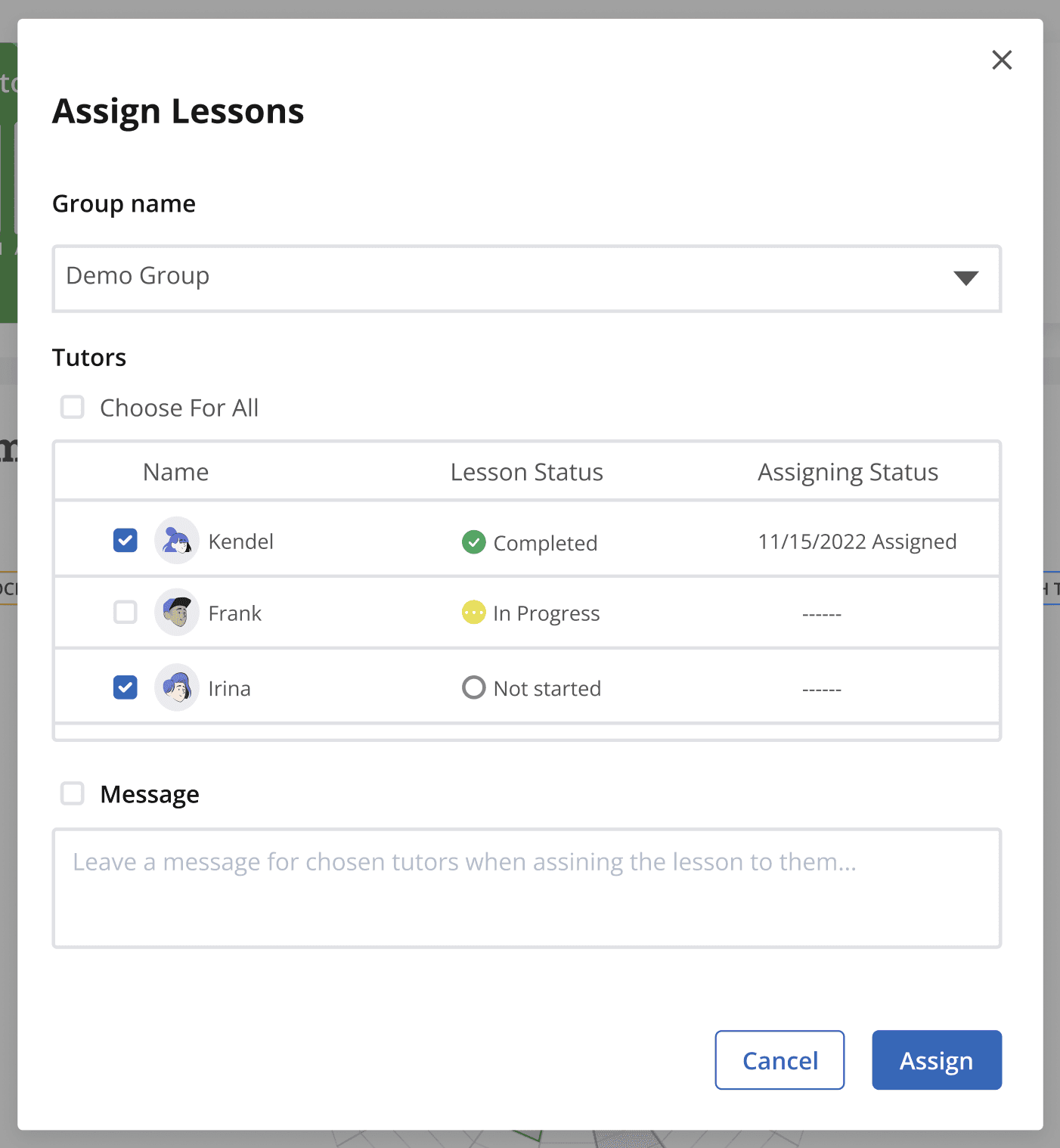
Assigning lessons to tutors who need improvement in that area.
Admins can assign specific tutor certain lessons to help them with that competency area.

Checking tutors’ response to each lesson.

Process
Uncovering User Needs
Identifying the pain points of admins who use the current dashboard
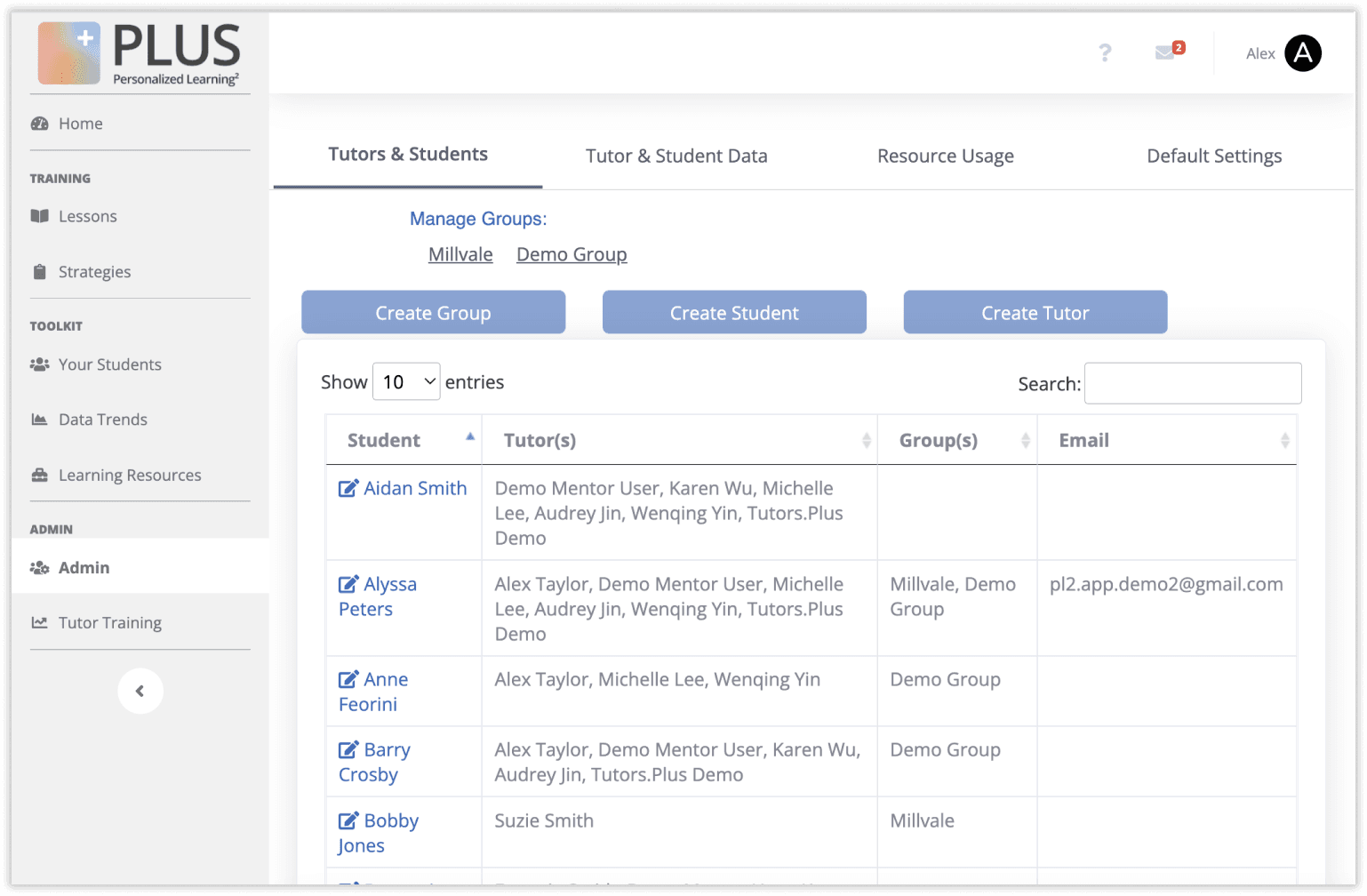
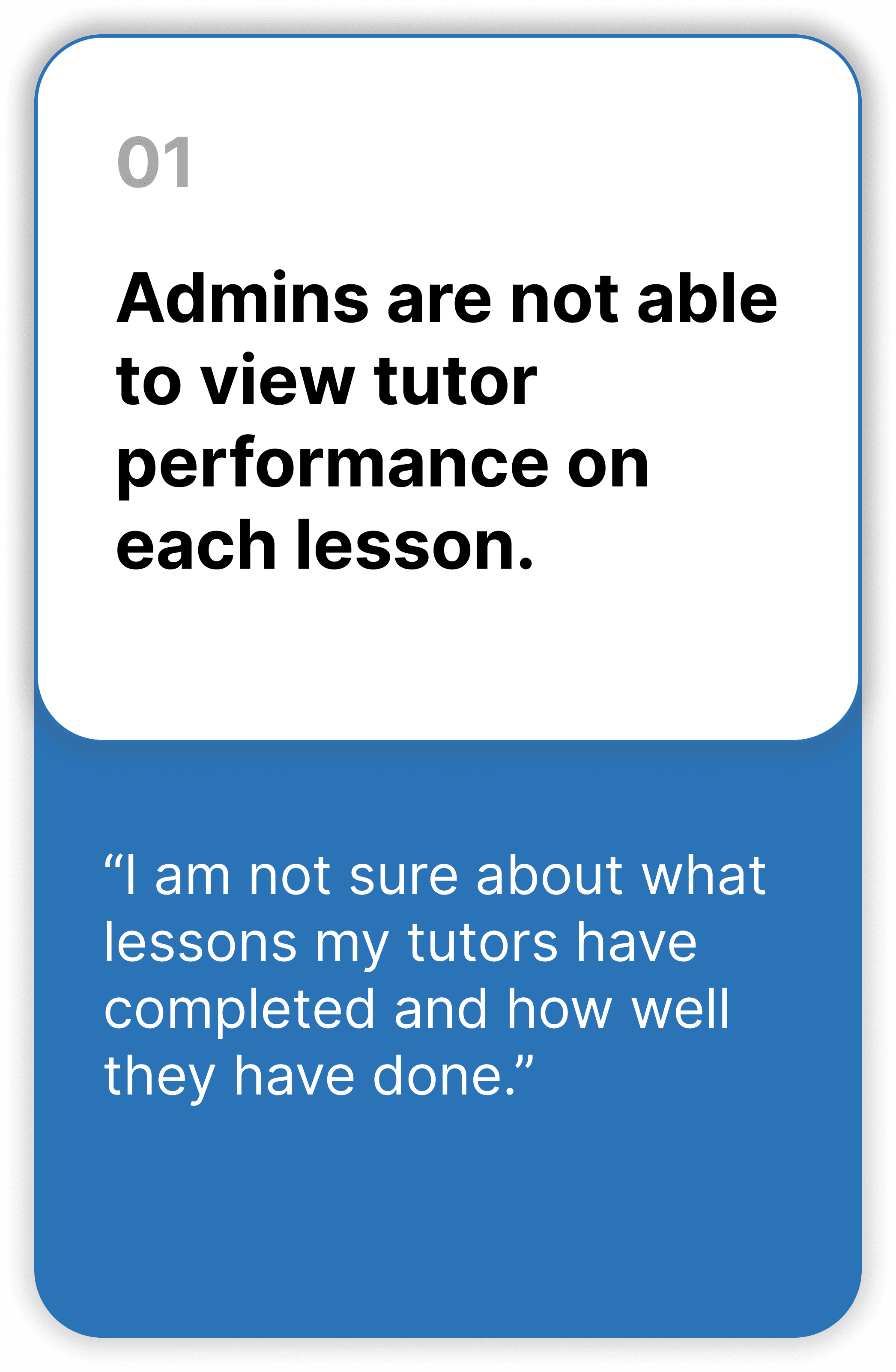
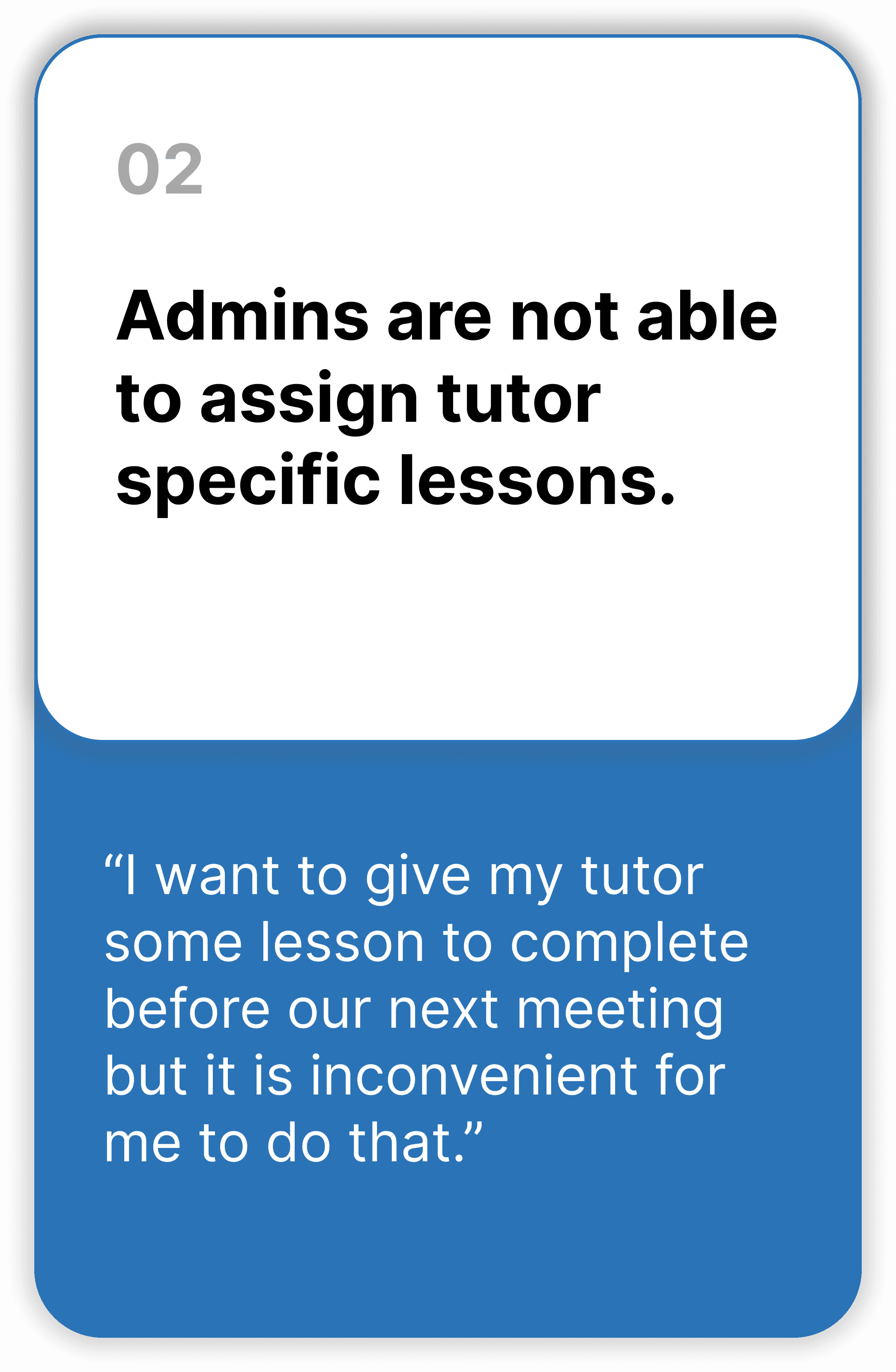
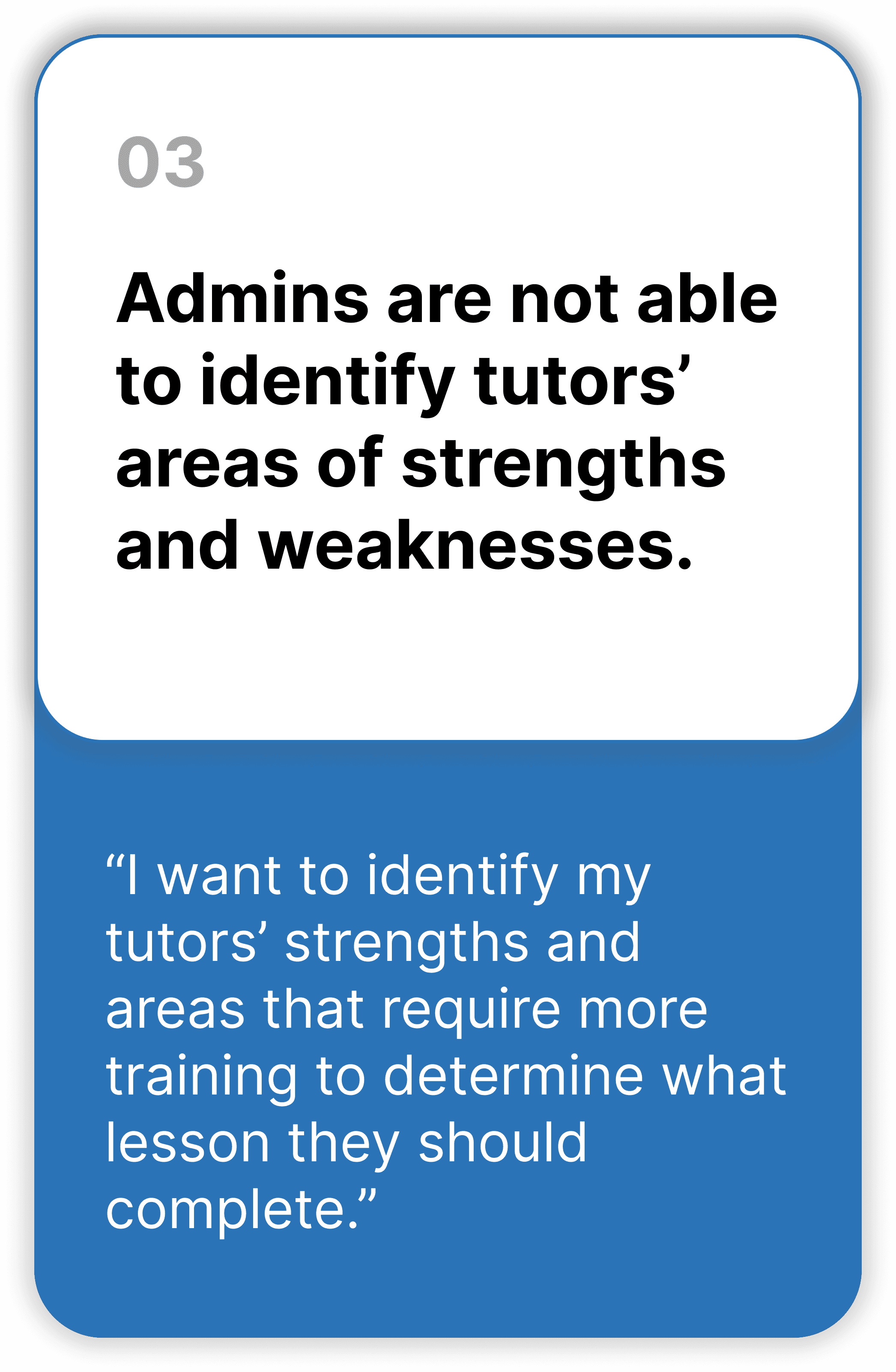
After 5 interviews with current admin, we found three main issues of the current admin dashboard:
·
Rapidly iterating and testing
Iterating towards better information architecture
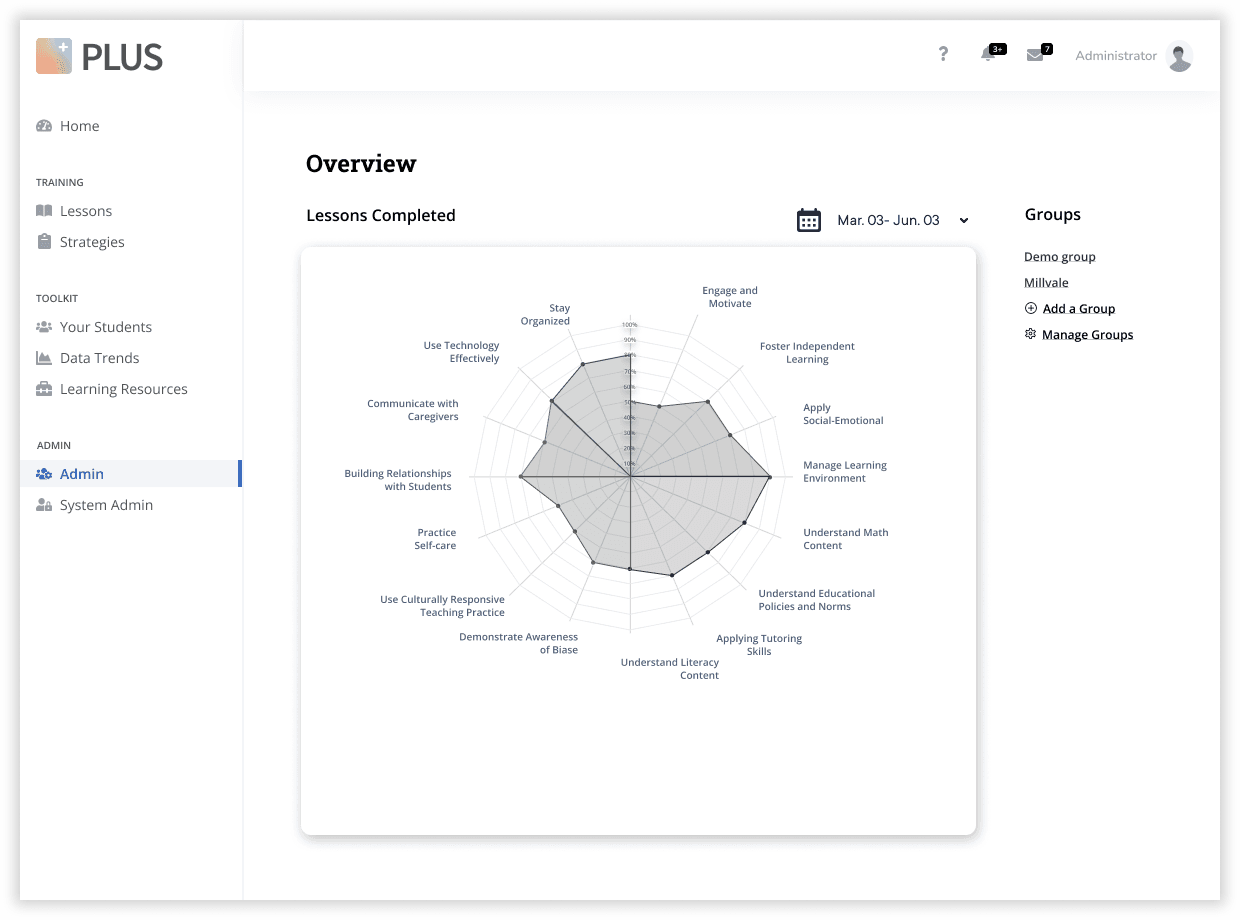
We started off our design with parallel prototyping. One version focused on data visualization and the other version focused on the organization of key information in a table format. After receiving user feedback from usability testing sessions, it became clear that they desired features from both designs. However, they would prefer to see the data visualization before the table. In response, we developed a new version that incorporated key elements from both designs, resulting in a product that met the needs and preferences of our users.
before
after
Iterating towards better data visualization
One of the important changes that we made is the data visualization design due to the limited data set. We adjusted the spider chart because the PM informed us that the chart might convey unclear information due to the lack of data set for some lessons. The developer also expressed that the updated version of the graph is easier to develop.
before
after
Iterating towards better usability
Before the iteration, admins could only choose the tutors to whom lessons were assigned. After implementing the new changes, admins can now view whether or not they have previously assigned lessons to specific tutors. Additionally, they can access information regarding when the lessons were last assigned in order to make informed decisions about whether or not to reassign them. Furthermore, admins are able to attach messages to the assignments to facilitate better communication.
before
after
·
Considering multiple stakeholders and ensuring a seamless user flow
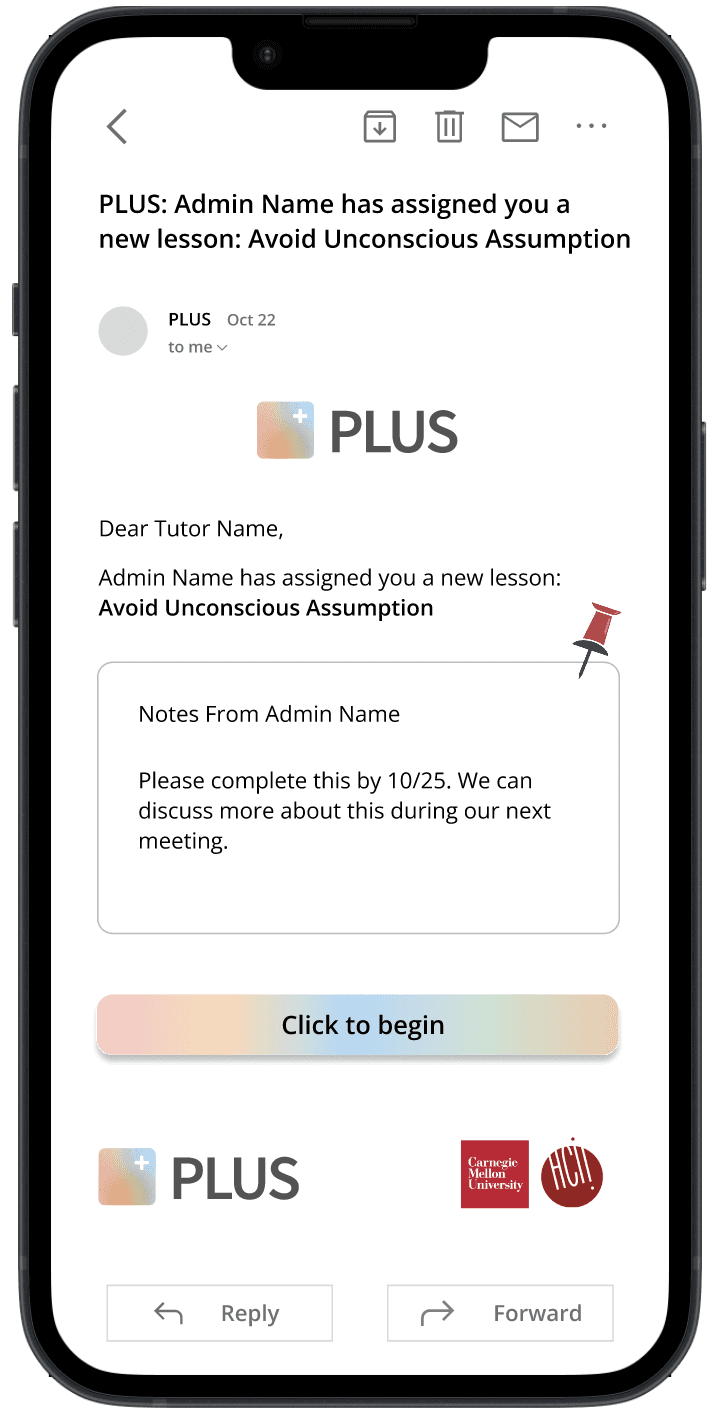
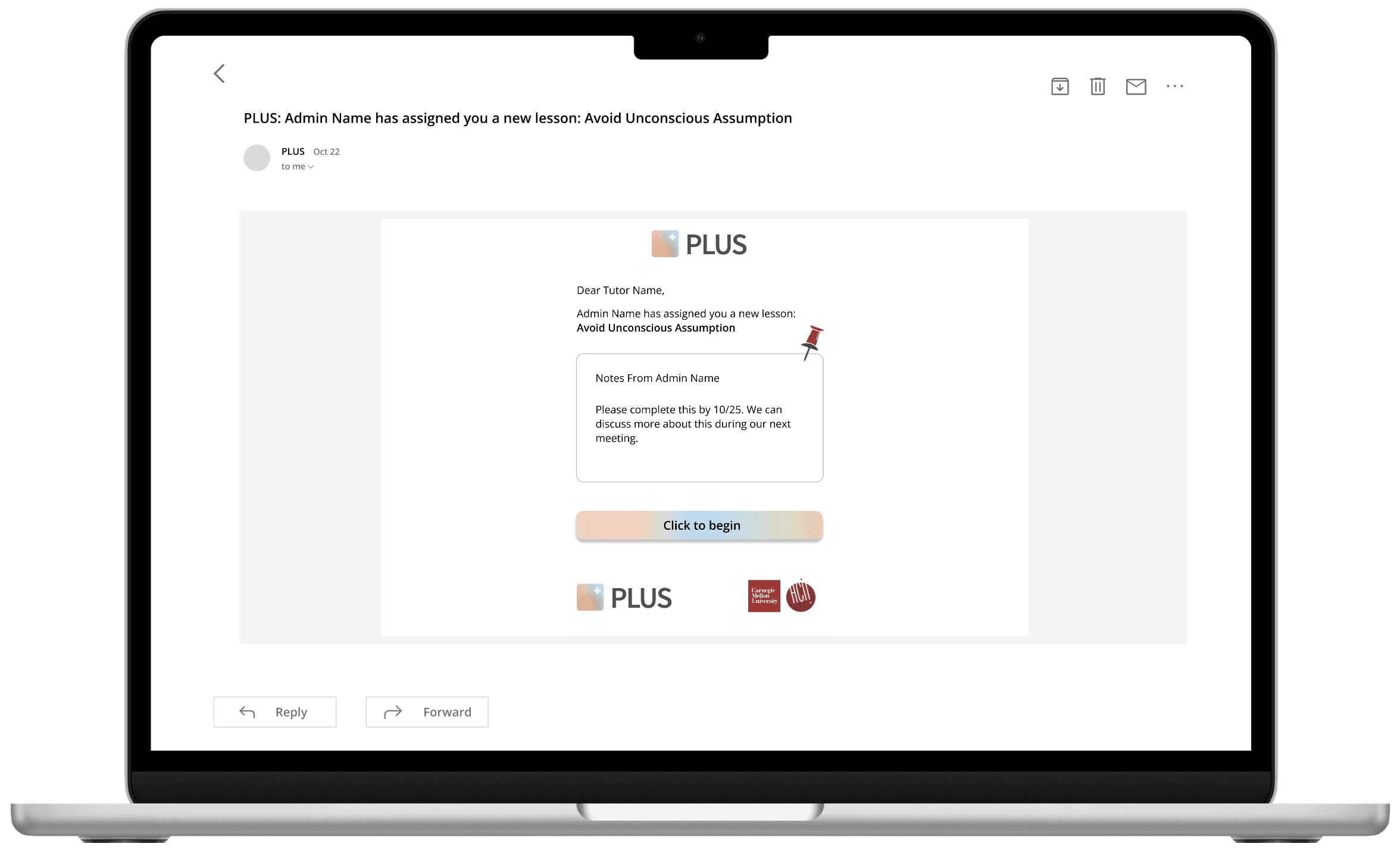
Apart from designing the admin-facing dashboard, I also took the initiative to design for the tutor-facing dashboard interface and the email page when their admin assigns them a lesson.
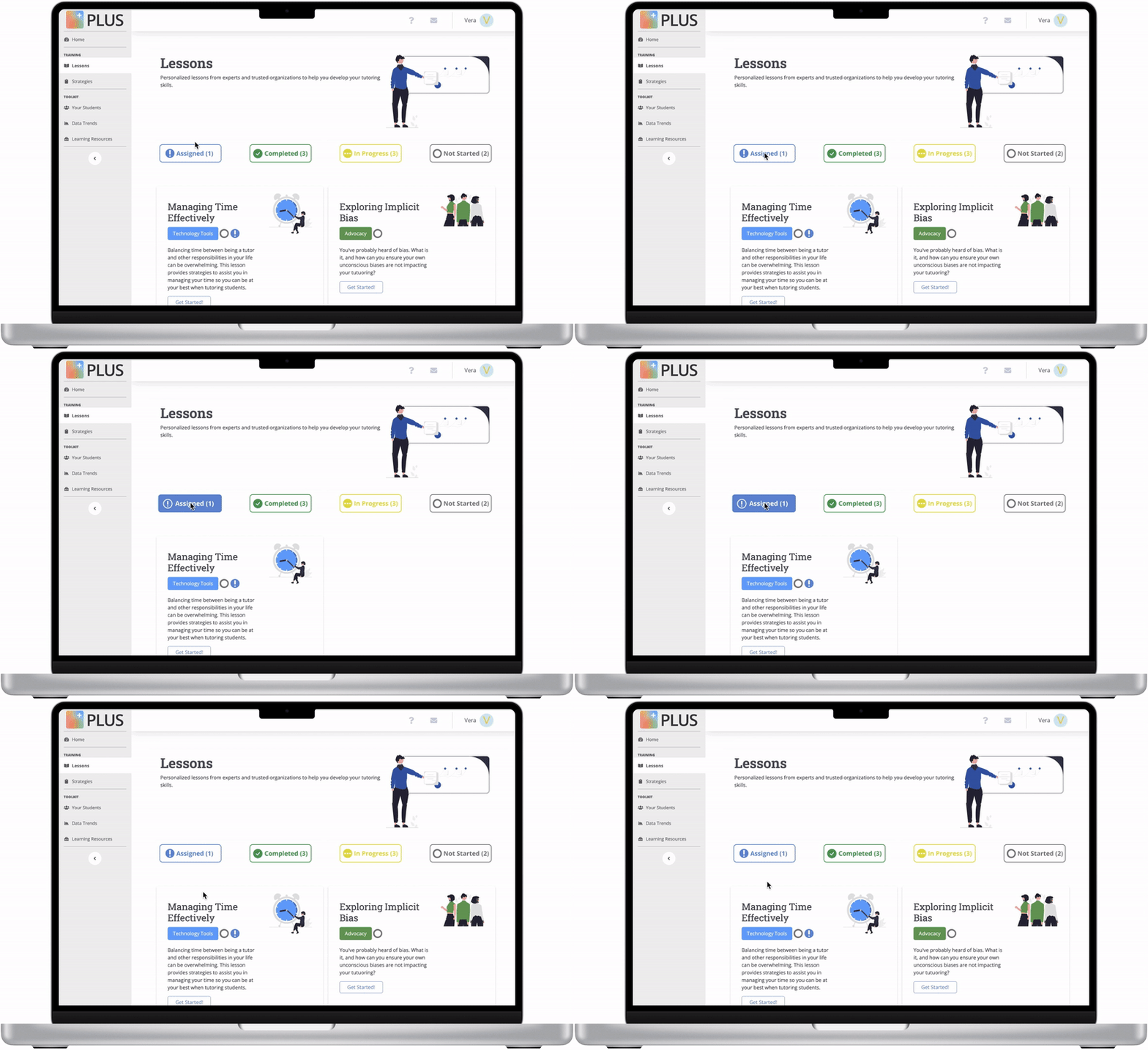
TUTOR DASHBOARD INTERFACE
Tutors can view the status for each lesson and filter the lessons by ‘Assigned’, ‘Completed’, ‘In Progress’., or ‘Not Started’.
EMAIL NOTIFICATION PAGE FOR TUTORS
Tutors will receive a notification when a lesson is assigned to them . I designed the notification page for different devices.
·
Overall System Usability Scale (SUS) Score: 91.25 - Grade A
Feedback from PLUS users:
“The new design appears to be pretty intuitive - so much improvement from the current dashboard!”
“I like the direction this admin site is moving in and I see a lot of practical applications that will save manager time.”
"This redesign makes navigating the dashboard so much smoother—definitely a game-changer for efficiency!”
·
This project has taught me how to work with PM and developers in a fast-paced start-up team.
As a start-up, PLUS operates on a tight timeline at every stage of the business. This required us to design and test our products quickly, while still ensuring quality and meeting user needs. In this fast-paced environment, I developed a skill for efficiently incorporating feedback and iterating designs in a timely manner, without compromising on the end product.
Furthermore, working closely with a developer on the project allowed me to gain valuable experience in making critical decisions on prioritizing certain features over others. This involved carefully considering the user's needs and balancing them with technical limitations and timeline constraints. By collaborating closely with the developer, I learned to support the launch process by coordinating the final product, ensuring its readiness for deployment, and managing any issues that arose during the launch. These experiences have taught me the importance of being agile, adaptable, and responsive when working in a fast-paced start-up environment.